No oil for the Friday afternoon oil change
You're sure you had the right oil on the shelf, but your tech swore they told you it was out three days ago. Now it's a phone call to an annoyed customer and a scramble for any supplier who has it.
For independent UK garages & main dealers
Scan a QR code, send an alert, sorted.
Know what's running low before it runs out. Your team scans a shelf, taps one button, and you get a push notification with everything you need to act. Order it, mark it done, move on.
You didn't open a garage to chase parts. You opened it to fix cars.
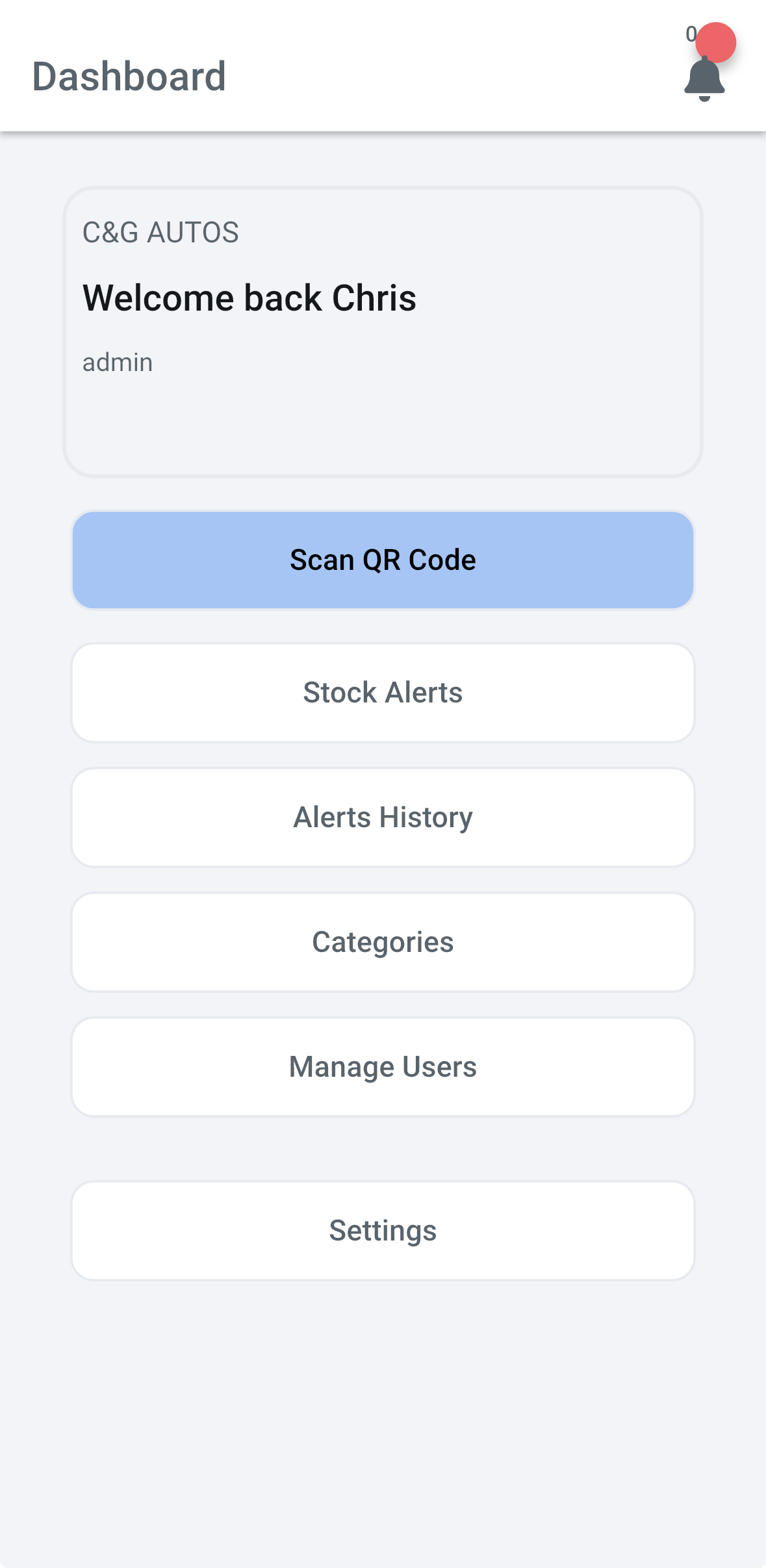
StockTrack hands you back the hours that empty shelves quietly steal. Your team scans the shelf the moment it runs low. The right person gets a push. The order goes in before it becomes a lost job.
Less running around. More cars out the door. Evenings yours again.
Every garage has the same story. Different shelves, same headache.
You're sure you had the right oil on the shelf, but your tech swore they told you it was out three days ago. Now it's a phone call to an annoyed customer and a scramble for any supplier who has it.
Someone scrawled "order brake cleaner" on a Post-it three weeks ago. It fell off. It's now under a tyre. It is not, and never was, a stock control system.
You assumed the foreman did it. The foreman assumed you did it. Nobody did it. The car's on the lift and the part is two days away. You eat the cost.
How it works
If your team can use a smartphone, they can use StockTrack.
Print a QR sticker. Stick it on the shelf, the bin, the cabinet — wherever the stock lives. A mechanic opens the app and scans it.
One tap: "Low" or "Out". That's it. The right person — whoever you assign — gets a push notification on their phone immediately.
The buyer marks it resolved when they've ordered it. Everyone can see the status. No double-orders, no forgotten ones.
Setup
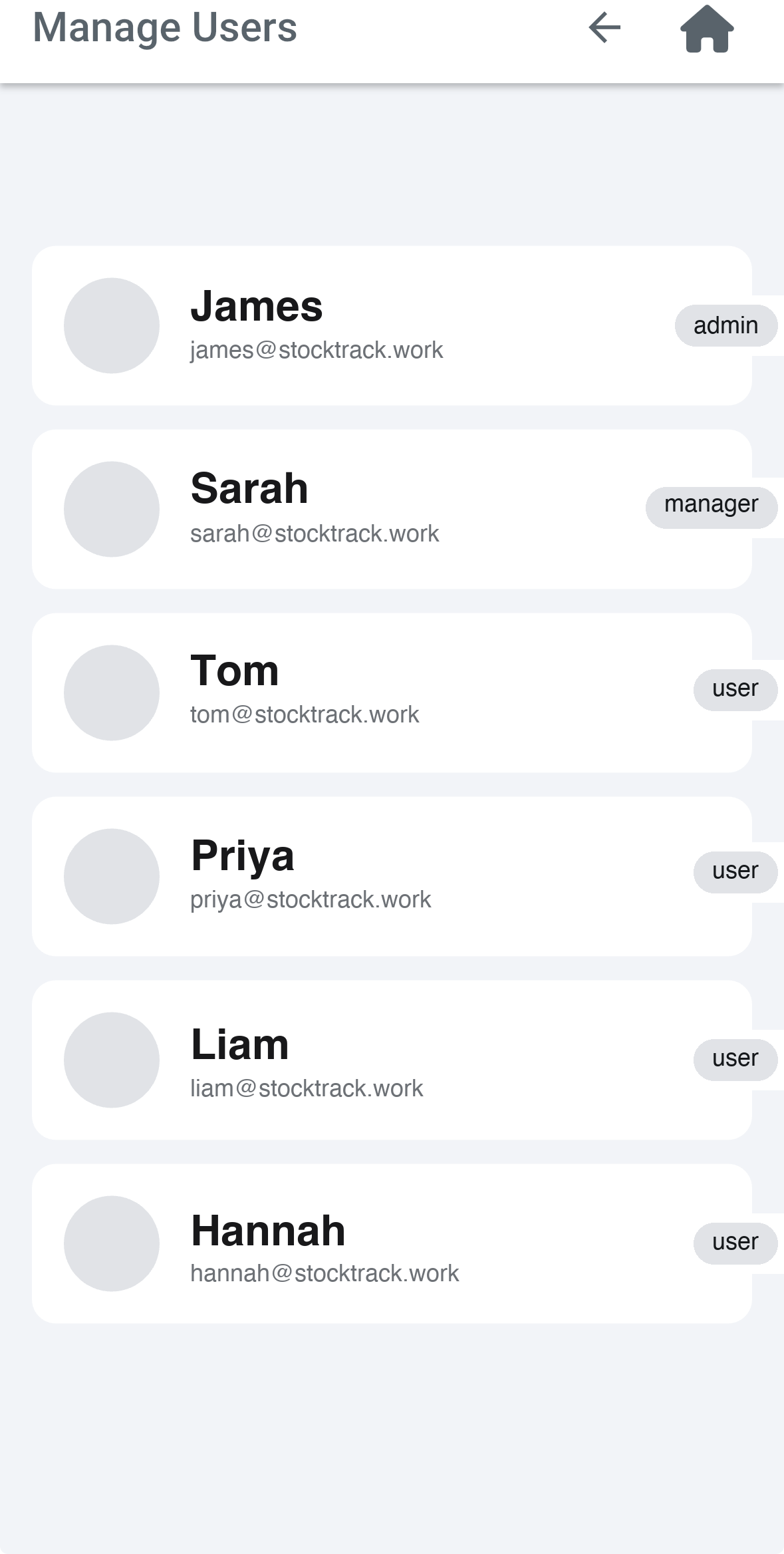
Your stock is already grouped — wiper blades here, oils there, workshop consumables in the back. StockTrack copies that layout one-for-one. Add a category, print its QR, stick it on the shelf. Done in an afternoon.
Your team
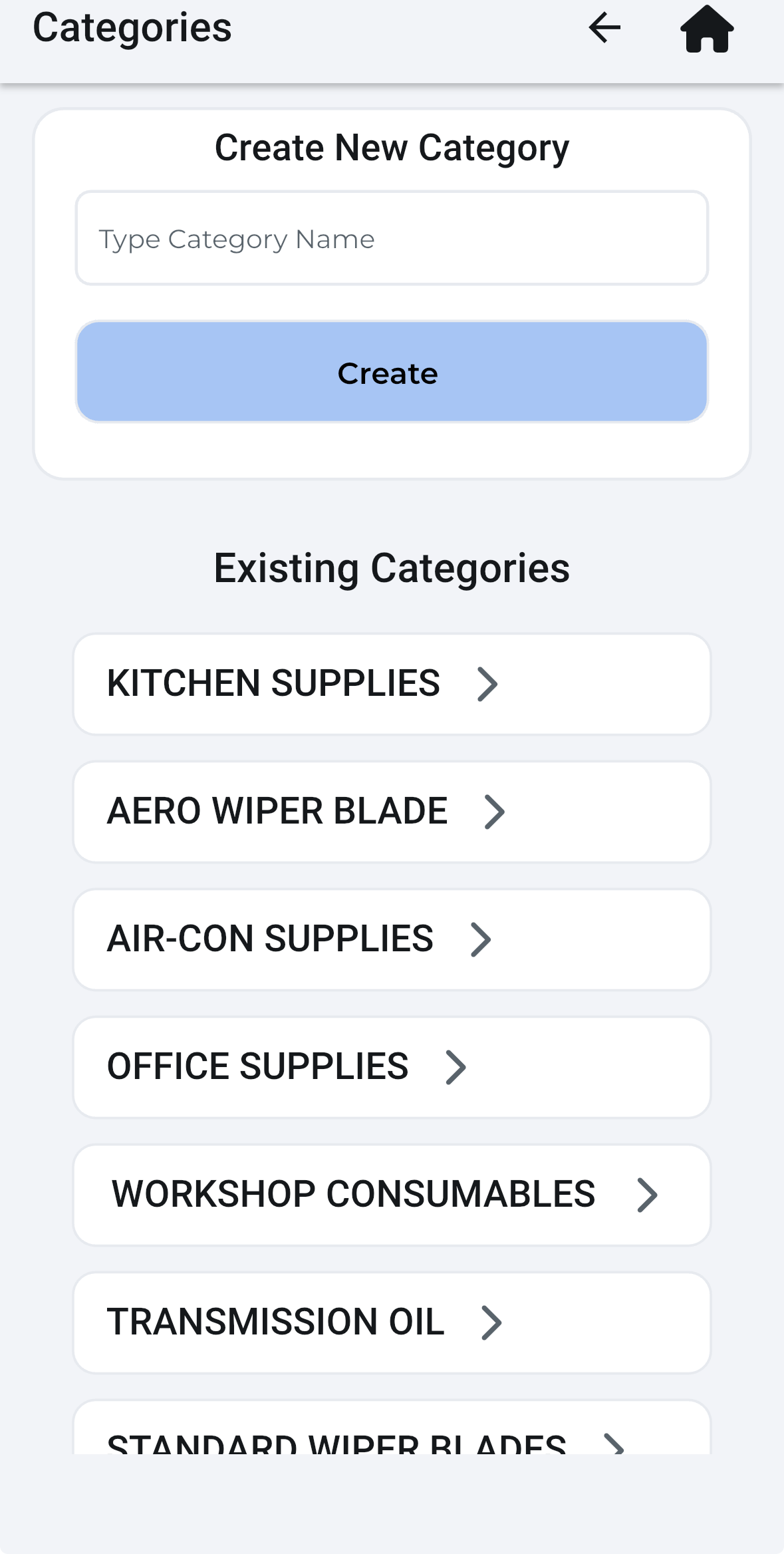
Add your staff, set who's an admin, who's a manager, who just scans. Alerts go to the right people automatically. Someone leaves? Deactivate them in two taps — their history stays.
Live alerts
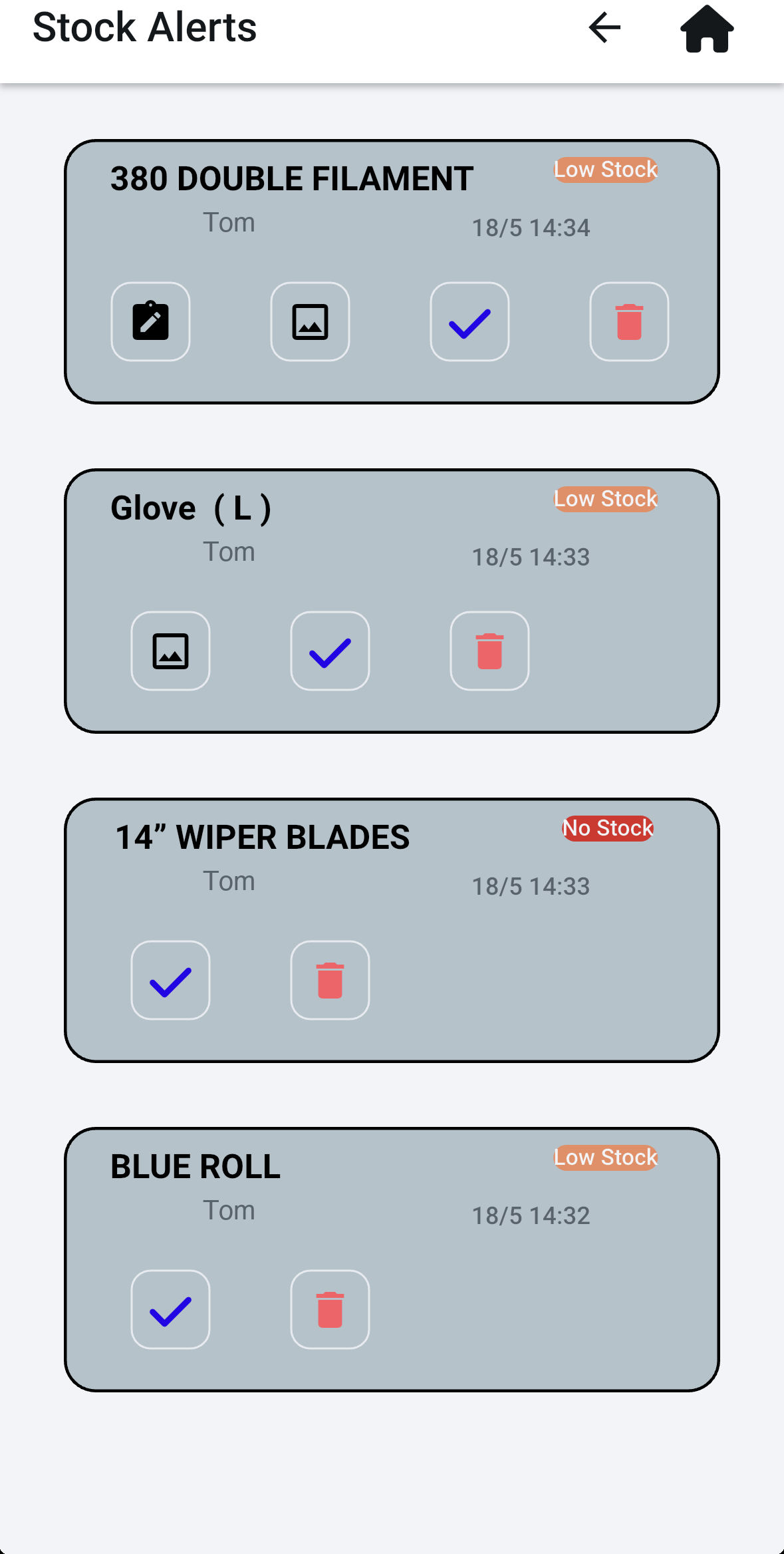
One screen, every open alert. Tap an item to add a photo or a note. Tap the tick to mark it resolved when you've ordered it. The whole team sees the same list — no double-orders, no missed shouts.
Audit trail
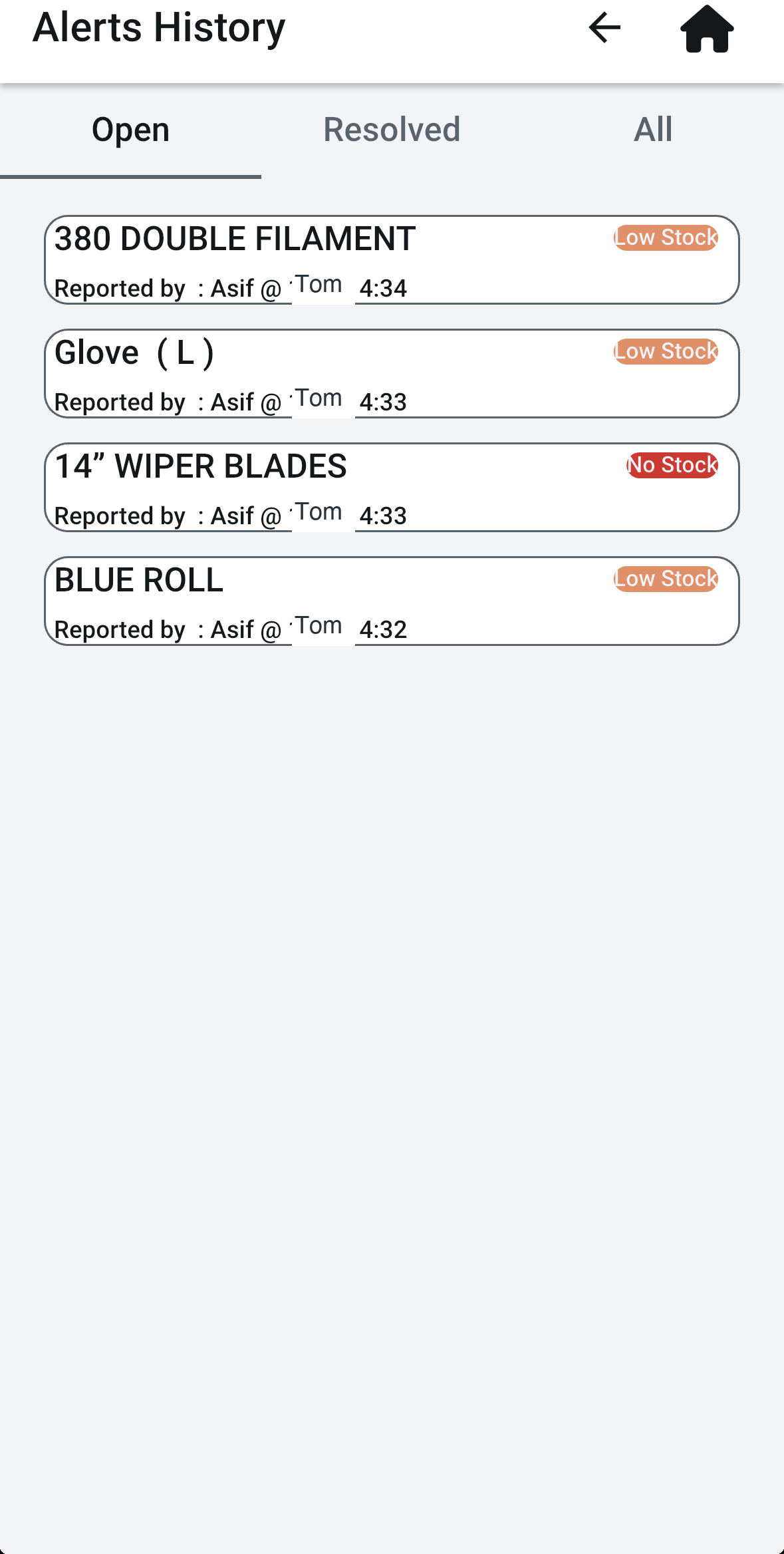
Every alert your team has ever raised — who reported it, when, and whether it's been resolved. Filter by Open, Resolved, or All. If a part keeps running out, you'll spot the pattern.
See it in action
More tutorials: stocktrack.work/help
On purpose
StockTrack isn't a full inventory system, a parts catalogue, a supplier integration, or your accounts software. It's a stock-alert app — built for one job and stripped of everything else. You already know what you stock and where you buy it. We just make sure the right person knows the moment something runs out.
That's the whole app. That's why it actually gets used.
The maths
Two stories every garage owner has lived. Here's what they really cost you.
A customer comes in for an oil change. The car takes specialist 0W-20. You usually buy 20 litres from your regular supplier — cheap, reliable.
Your tech told you three days ago you were running low. You meant to order it. You didn't.
Your supplier's now out. The next cheapest has it — £30 more, and they need an hour to deliver. The car's on the lift. Every job behind it slips. You're on the phone to the customer.
The bill
£130
out of pocket on one slip
Friday evening. Long week. You want to be home with the family.
Instead you've got two hours of walking the workshop ahead of you — clipboard in hand, working out what's run out, what's running low, what someone forgot to tell you. By the time you're done, the kids are in bed.
It's not a one-off. It's every Friday. Forty hours by Easter. A hundred by Christmas. Hours you'll never get back.
The clock
104 hrs
a year, gone
= 13 working days back
Stop a slip or two. Take your Friday evenings back. The maths takes care of itself.
Pricing
Stop one slip in a year and the app's already paid for itself. The Friday evenings back are a bonus.
Starter
£39 /mo
or £29.25/mo paid yearly — save 25%
Pro
£69 /mo
or £51.75/mo paid yearly — save 25%
Multi-site
From £99 /mo
cross-site dashboard, volume pricing
All prices ex VAT. Save 25% when you pay annually. 14-day free trial — card captured at signup, no charge for 14 days, cancel anytime.
Frequently asked
That was the whole design brief. One screen, one scan, one tap. No logins per shift, no forms, no typing. If your mechanics can scan a tax disc QR or pay with Apple Pay, they can do this. We've spent more time removing features than adding them.
Great — keep it. StockTrack isn't a replacement, it's the bit your existing system probably doesn't do well: getting a signal off the shop floor and into the buyer's pocket the moment a shelf goes empty. Most of our trial garages run it alongside whatever they already have.
Yes. Your stock items, alerts, and team list are stored in Google Cloud (Firebase) on UK/EU infrastructure. Only people you invite to your workshop can see your data. We never share, sell, or use your data for anything else. Full detail in our privacy policy.
Yes — from your billing portal, no email needed. Monthly is rolling: cancel any time and you won't be charged again. Annual is prepaid for the year (that's how the 25% discount works), so cancelling mid-year doesn't refund unused months — but you'll keep access until your renewal date. On a free trial? Cancel any time before day 15 to avoid being charged.
Just the StockTrack app from the App Store or Play Store on whichever phones your team already has. You print QR stickers from the app on any home or office printer. No tablets, no hardware required.
Talk to us
Got two or more workshops and want a tailored quote? Or a question that didn't make the FAQ? Drop us a line and we'll come back to you — usually the same day.